

Impactful learning strategies in minutes
Senior-level expertise in workflows, templates, and learning science is baked in, so your team builds robust strategies in minutes.
Built for every learning challenge
From software simulations to leadership scenarios, we help teams design learner-centered solutions across the projects that matter most to organizations.

Employee onboarding
Generate cohort-specific onboarding that builds belonging from day 1
Learn more: Employee onboarding (PDF, opens in a new tab)
Leadership development
Design learning experiences that spark connection and shared insights
Learn more: Leadership development (PDF, opens in a new tab)
Sales enablement
Equip sales teams to connect authentically and close deals
Learn more: Sales enablement (PDF, opens in a new tab)
Functional enablement
Streamline training across functions to maintain operational excellence
Learn more: Functional enablement (PDF, opens in a new tab)
Strategic transformation
Prepare your organization to navigate change and avoid disruption
Learn more: Strategic transformation (PDF, opens in a new tab)
Features
Everything you need to design impactful learning: faster, simpler, and smarter.
Explore Nuralia
See how each part of the platform supports your workflow from first idea to finished learning experience.
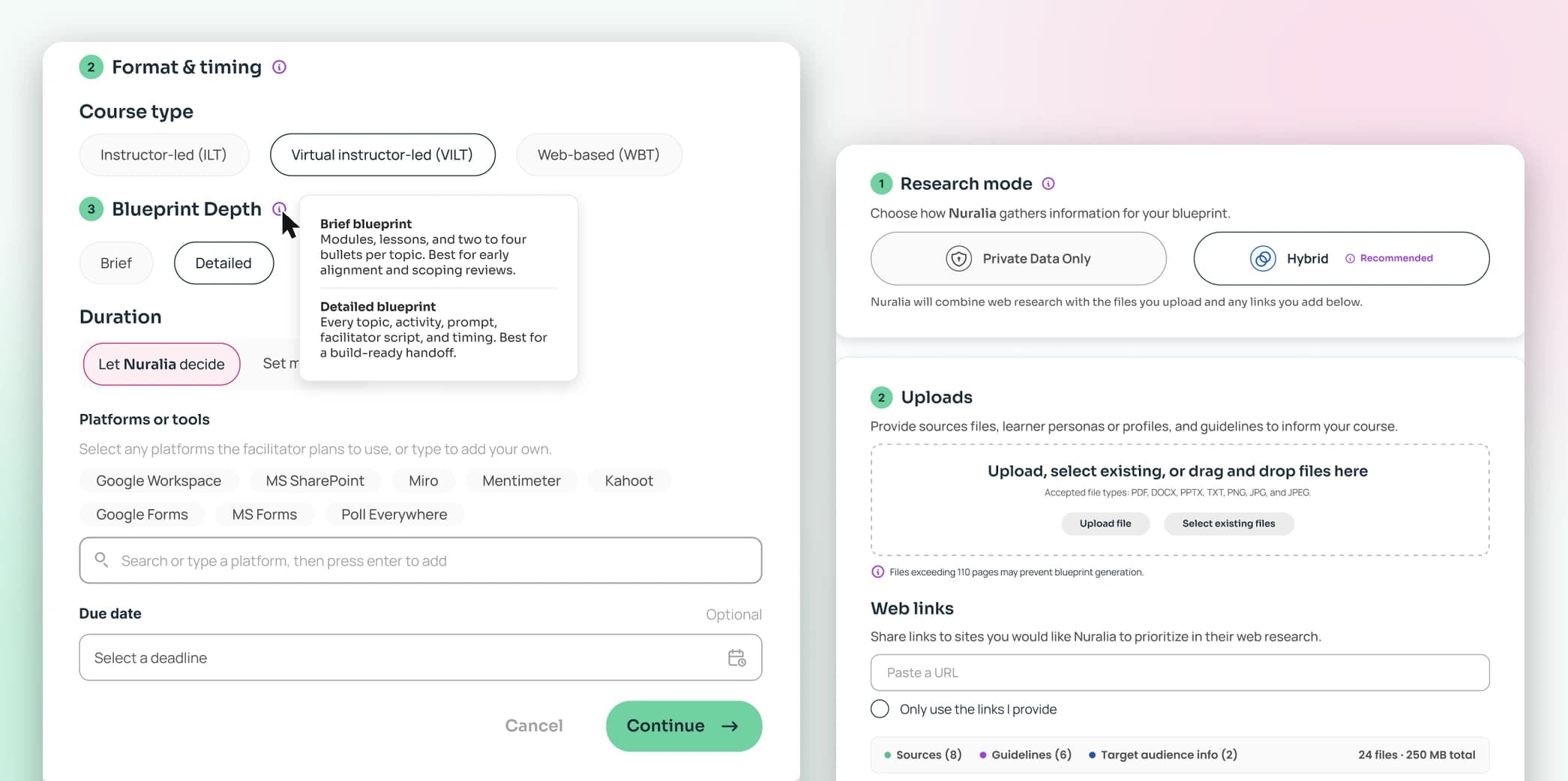
Intuitive learning design
Move from spark to solution seamlessly. Design robust instructional blueprints for ILT, VILT, and WBT courses, and develop engaging training slide decks for live sessions.
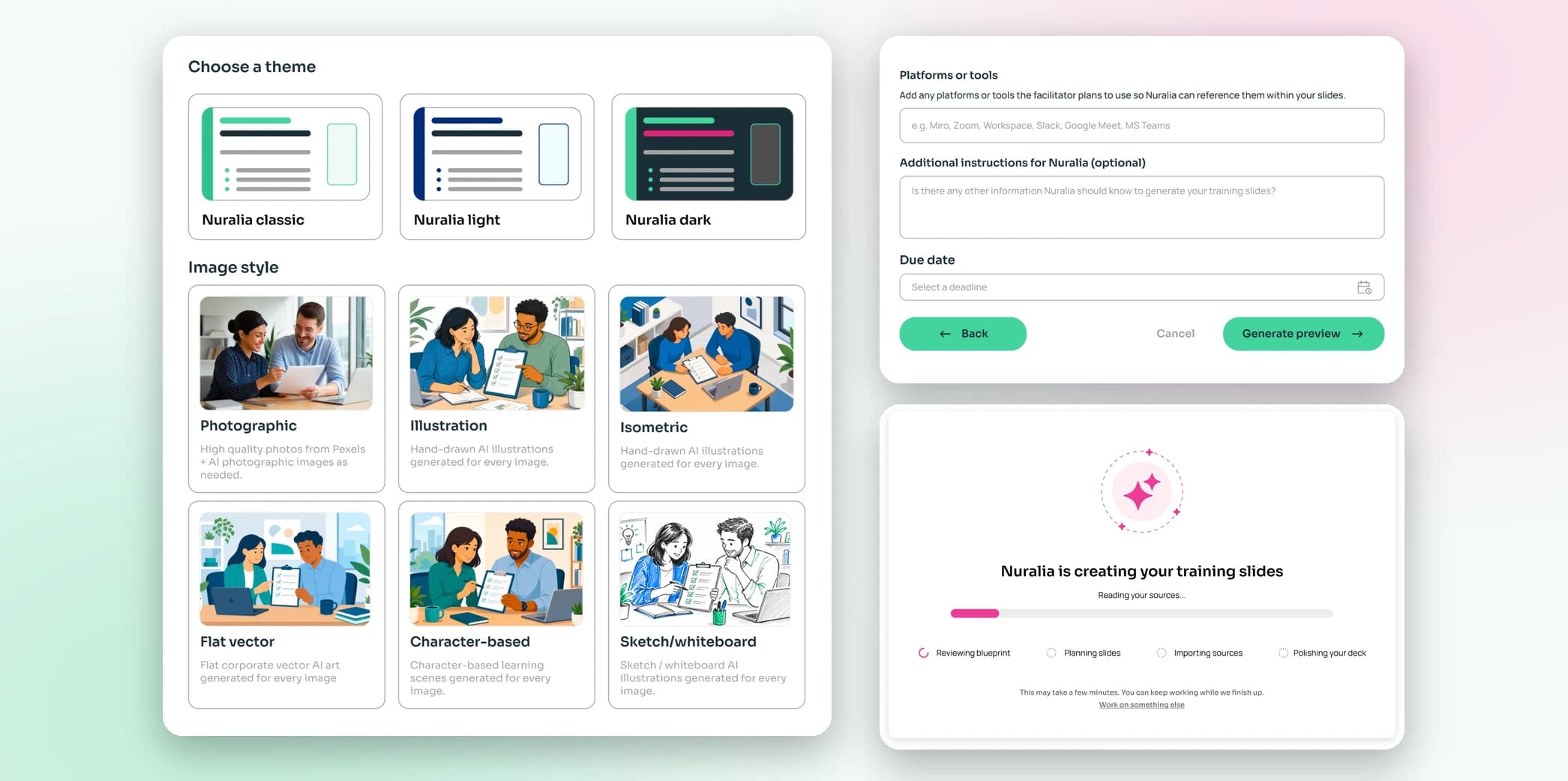
Guided AI workflows
Blending AI with human expertise, Nuralia guides you step-by-step to craft and refine your course designs. No prompt engineering expertise required.
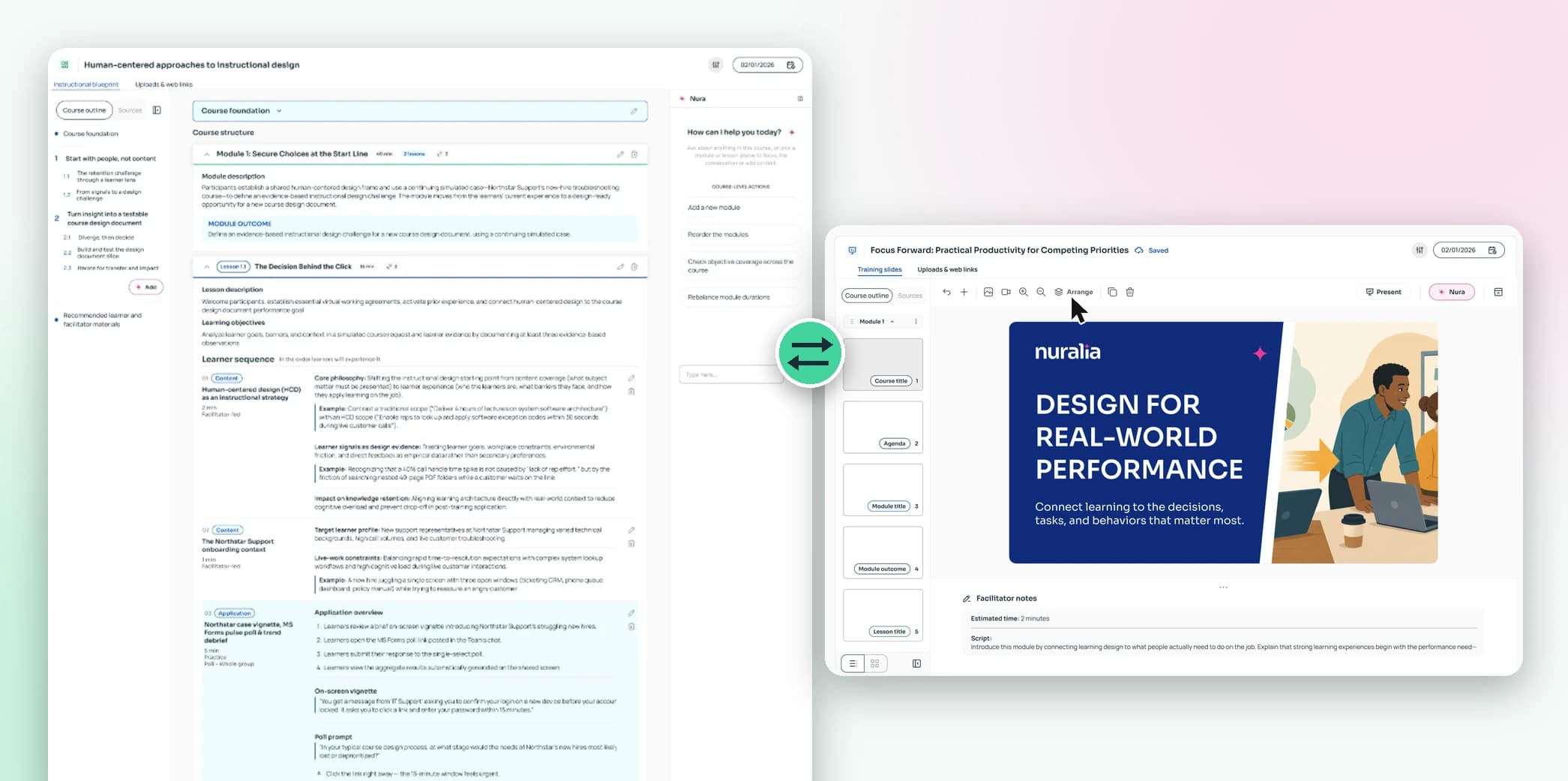
Dynamic design canvases
Experience total design flexibility with our dedicated instructional blueprint and training slides canvases for every stage of your process.
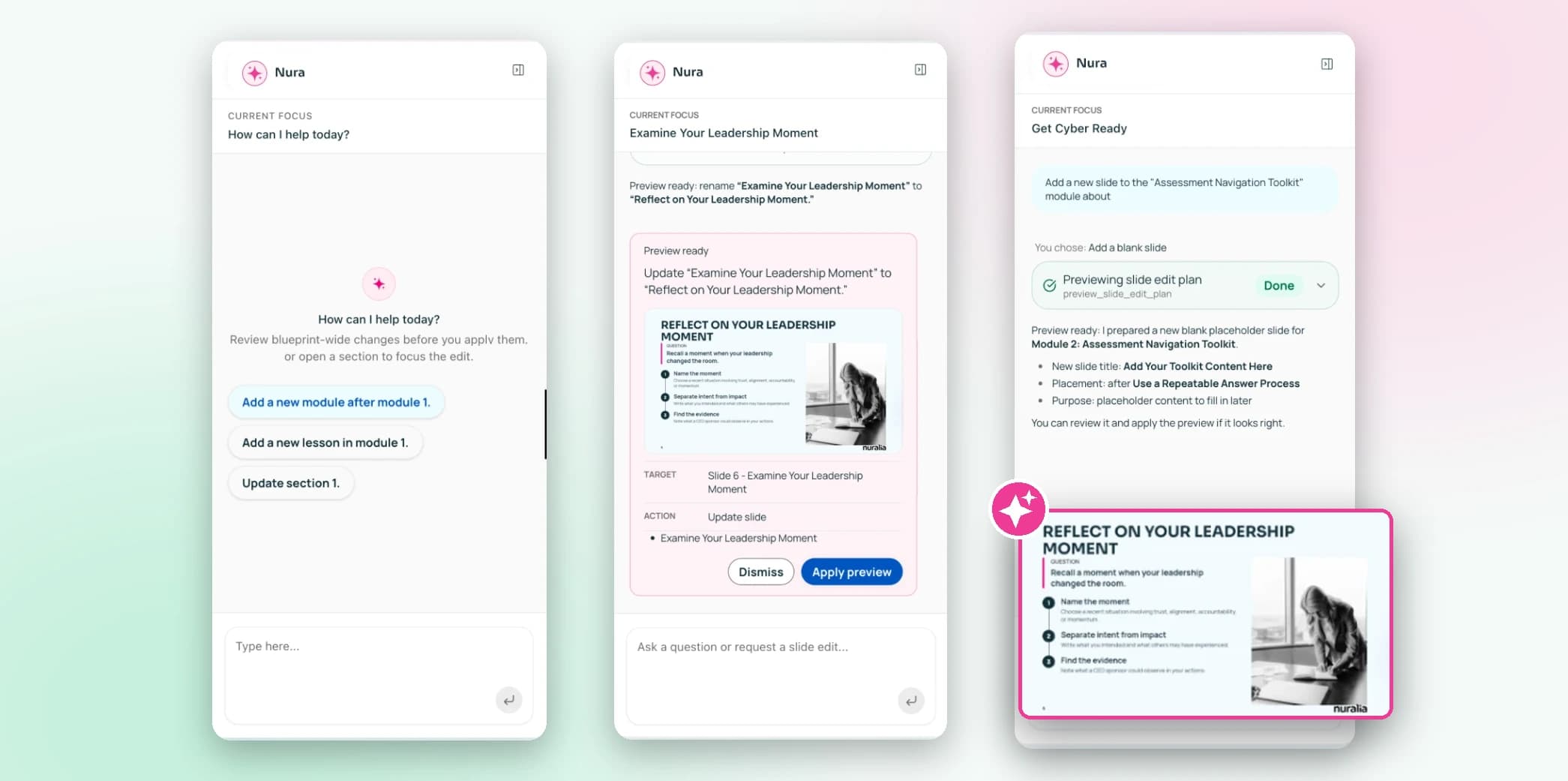
Rapid AI iteration
Iterate faster with Nura, our expert instructional design companion that lets you preview the changes in real time. Use it to refine blueprints and slides, adjust themes, or regenerate content instantly.
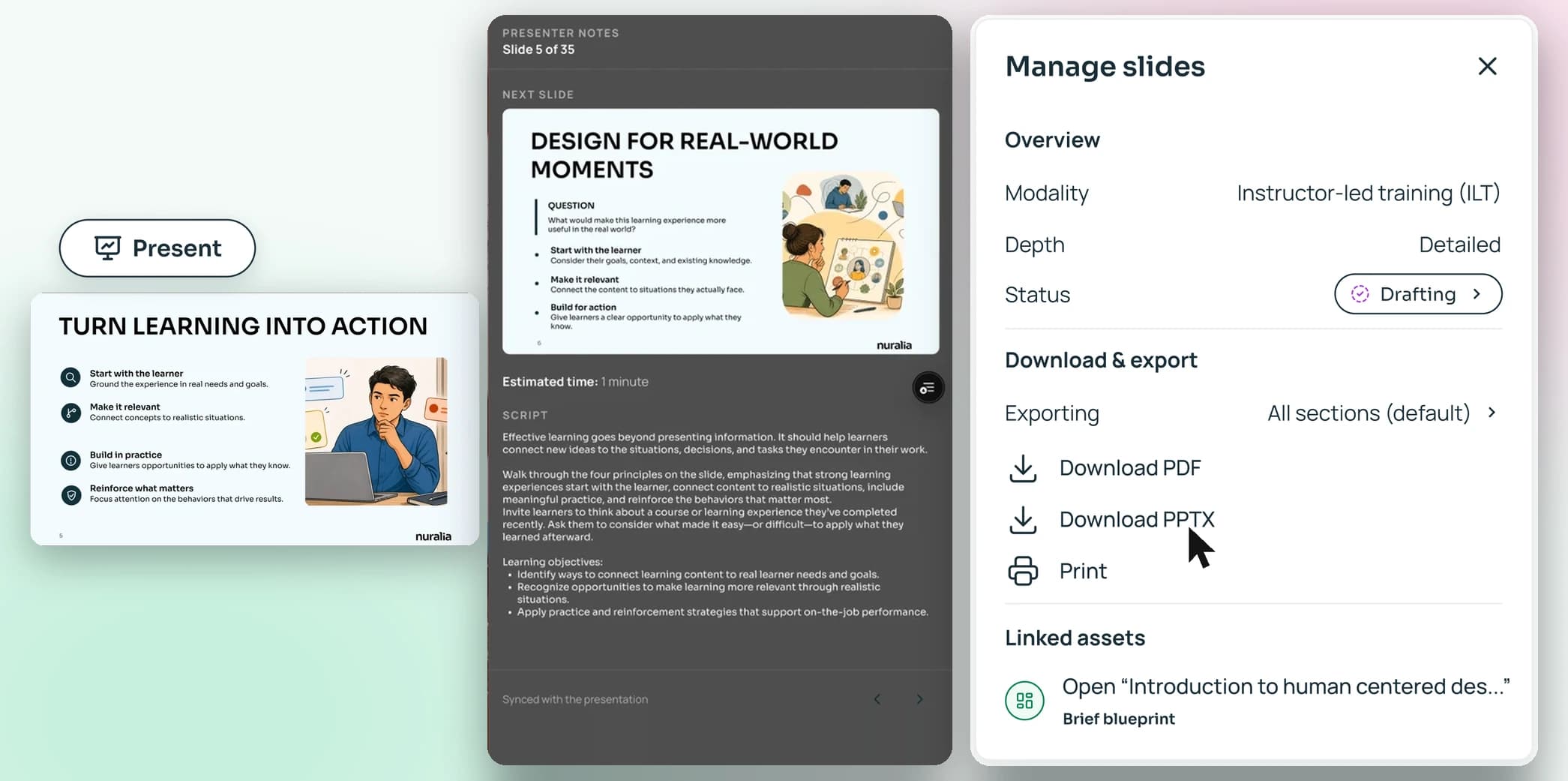
Seamless delivery and presentation
Present directly from Nuralia’s native Present mode to manage your sessions in one place, complete with a dedicated facilitator window for your notes and navigation. Alternatively, export your blueprints and slides to Word, PowerPoint, or PDF.
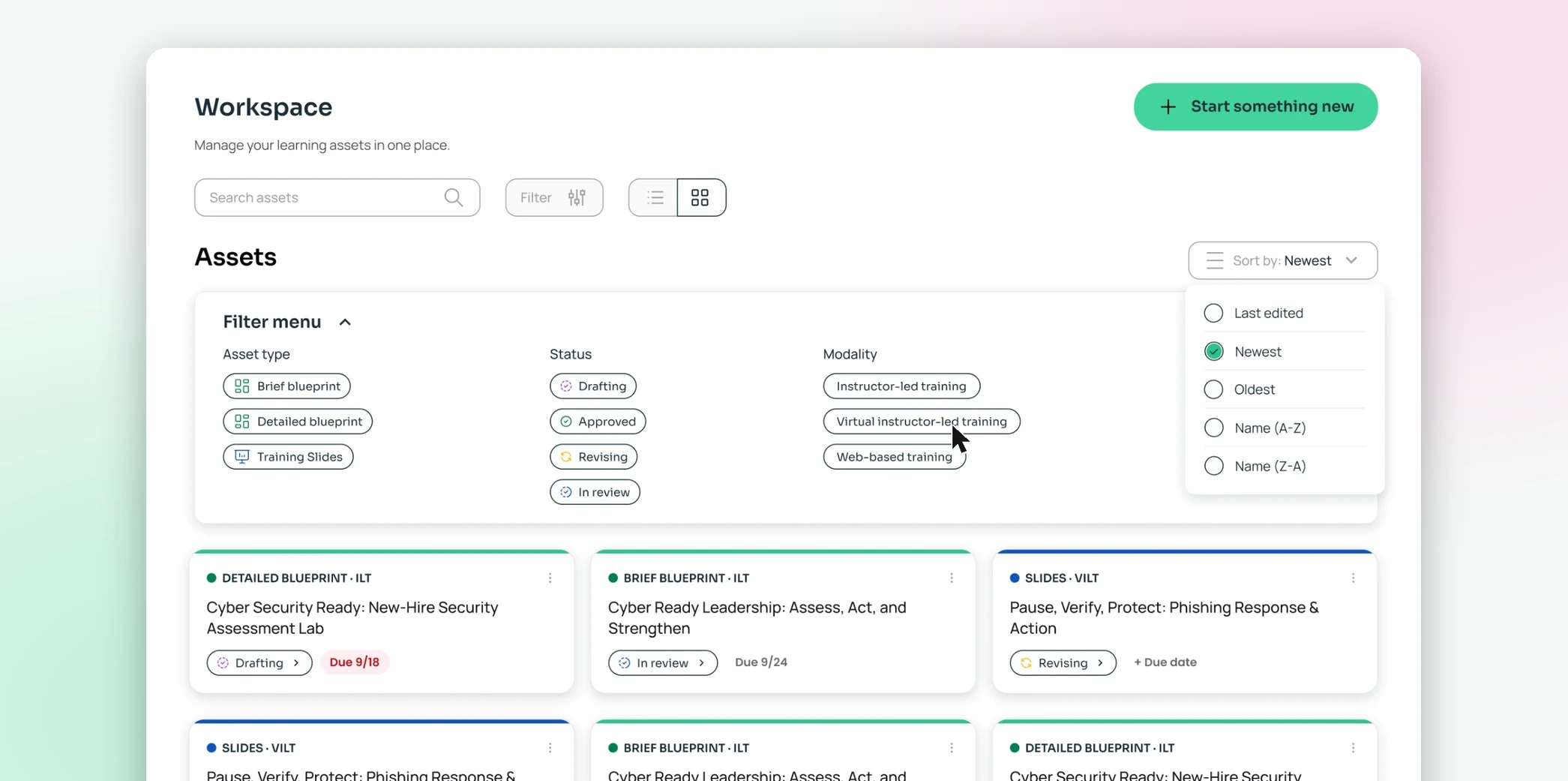
Centralized workspace
Organize and manage your instructional blueprints and training slides in a single workspace with intuitive filtering. View assets by type, modality, or status, and track due dates to keep projects on schedule.
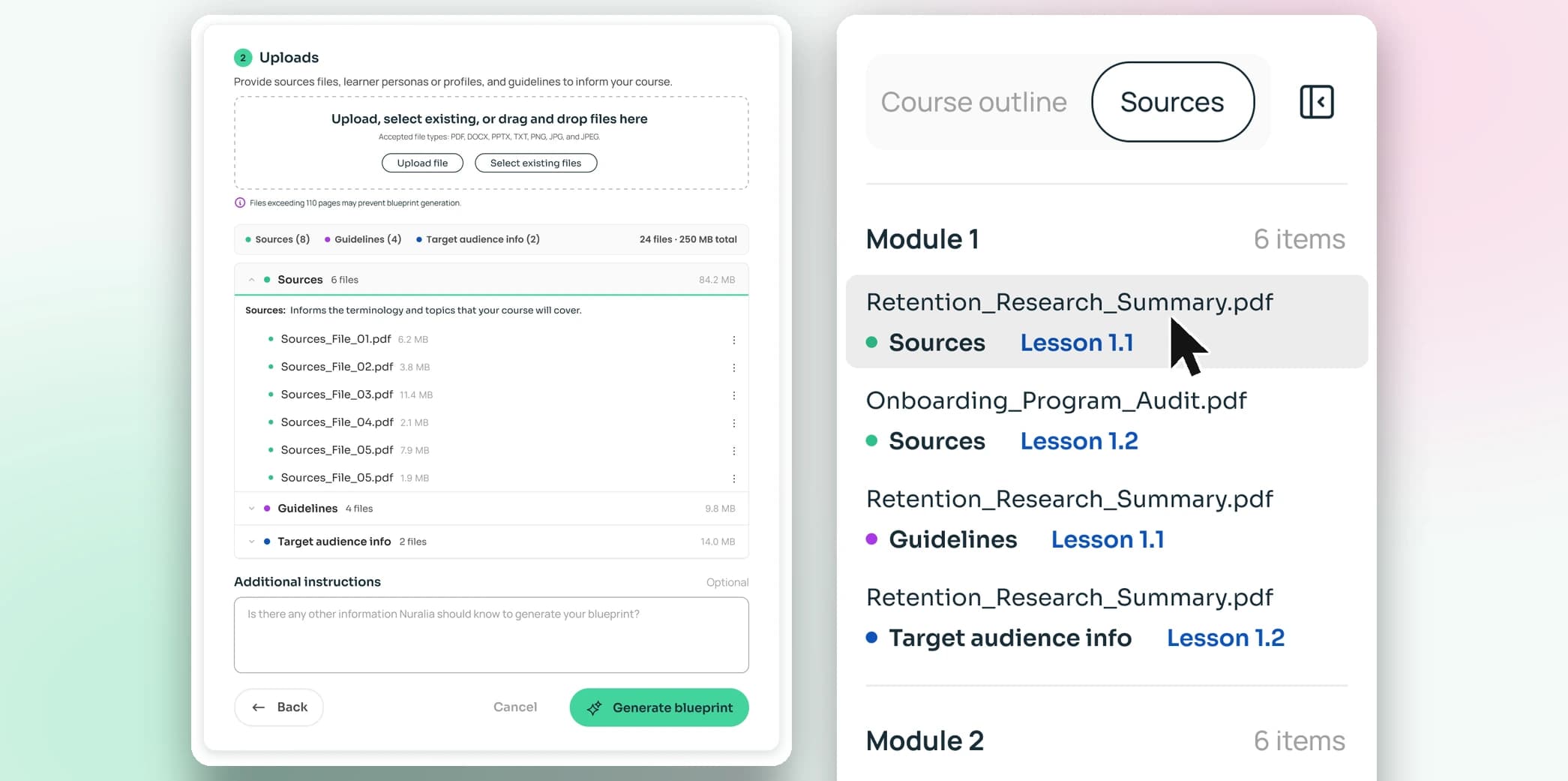
Transparent, adaptable AI
Maintain total control over your research with the visibility of citations on every output, while choosing Private Mode to restrict the AI to uploaded files or Hybrid Mode to blend internal expertise with trusted web context.
Generating that same content with Nuralia takes about five minutes. Doing it with an LLM takes longer, and I'd probably give up at some point because the output isn't in the right format. A blueprint from Nuralia is much more clearly laid out - exactly what I'd want as an instructional designer.
Ready to design learning experiences better, faster, smarter?
Unlock the clarity of an instructional design companion built to keep you in control.
Start free trial